


Creating fantasy maps used to be an art, a matter of time and patience, and needed access to technical equipment, something that was not accessible to many people. Nowadays, the barrier is eliminated. You can bring your wildest thoughts to life by using artistic tools such as Dreamina AI image generator to create detailed maps that are rich, immersive, and beautiful. You can construct landscapes in whatever way you want, regardless of restrictions, whether you are preparing a world to tell a story, play a game, or just have fun with creativity with AI.
It is not skill but direction that is the key difference now. AI can produce amazing images, yet it is up to you to decide how significant and unified the output is. A fantasy map is not merely a form of shapes and boundaries; it is a living world that contains stories, cultures and secret adventures.
Consider a world prior to the making of its boundaries
Get yourself a clear idea of your world before you produce anything. This is a critical step as it influences all subsequent visual decisions.
Consider what is unique in your world. And is it calm or tumultuous? Are there ancient kingdoms, magic lands or undiscovered lands? These questions will aid in establishing the tone and purpose of your map.
Take into account the following guidelines:
-
What kind of world you have.
-
History of the regions.
-
The general feeling you would like to express.
Your map does not seem accidental when your idea is clear. This transparency can also assist AI to understand your thoughts more correctly.
Make your world rich with cultures and characters
The more interesting aspect of a fantasy map is its representation of the inhabitants of the map. Characters may not be physically present on the map but they can have an impact on the design of the map.
With the help of instruments resembling an AI human generator, you are able to envision the kind of person that belongs to various regions.
The ideas help you make cultural zones, symbols, and traits on your map.
For instance:
-
Coastlines could represent traders and explorers.
-
Mountainous lands might mean warriors or isolated clans.
-
Magical lands could mean ancient or magical beings.
These factors result in making your map vibrant and significant.
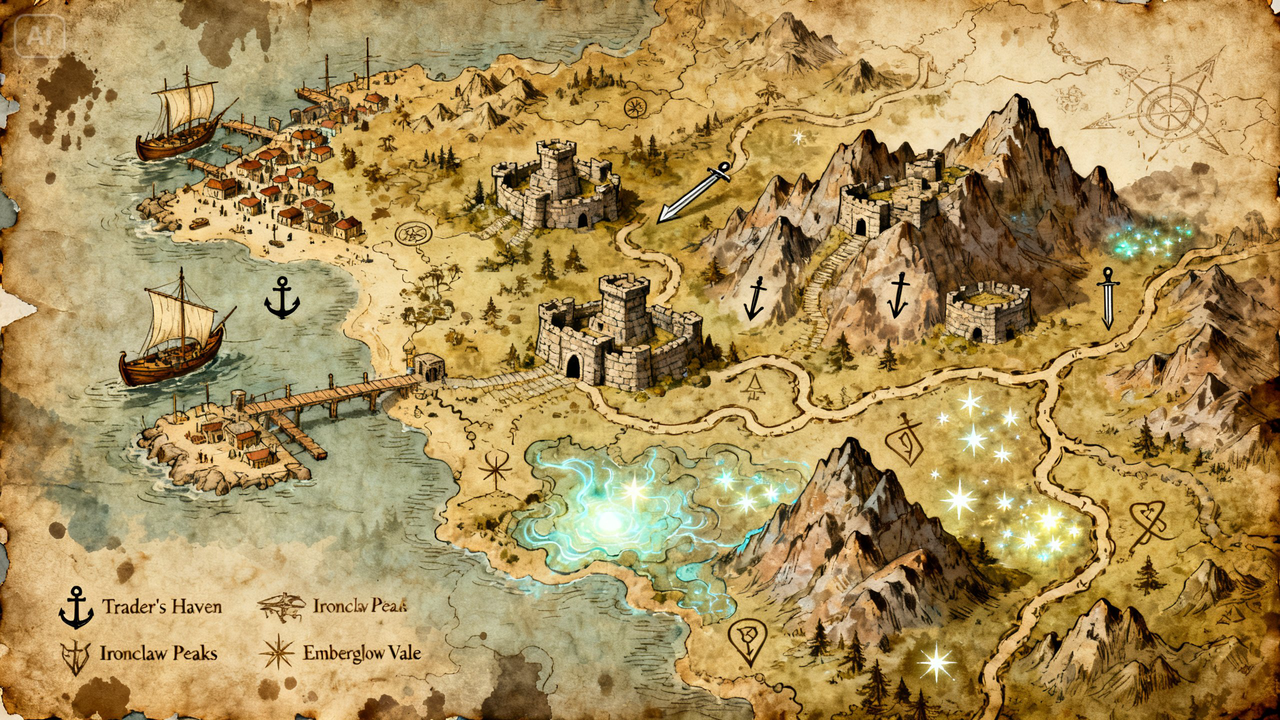
Discover your reality in visualization
When you have a clear idea, you can go even further and use an AI video generator to develop it further. You can use a text prompt or a reference picture to make a visual display of your world, rather than basing it on a flat map.
An example would be to talk about a sweeping view of shining cities, thick woodland, and mountains. The AI produces a video that matches your description and you can learn about lighting, scale and atmosphere.
Include symbols and textures that have more stories
It is the details that make a fantasy map really interesting. Minor details such as icons, textures and decorative edges can make a basic structure to be memorable.
To improve your design, you can add:
-
Special icons of cities and landmarks.
-
Artistic boundaries to your theme.
-
Delicate textures to give an old or enchanted appearance.
These details provide your map with character and texture.
Dreamina process: Idea to legendary map
Step 1: Prepare a text prompt
Begin by going to Dreamina and writing a detailed text prompt about the human cartographer or explorer with his/her dress to your fantasy theme, and the environment of the map. This can assist in shaping the style and atmosphere of your design. An example: A medieval cartographer with a long robe and leather accents, standing over an ancient fantasy map with kingdoms, rivers, mountains, and glowing magical areas, warm light, detailed details, old fashioned style, high quality resolution. Such a prompt gives a clear guideline to a rich output that is visual.
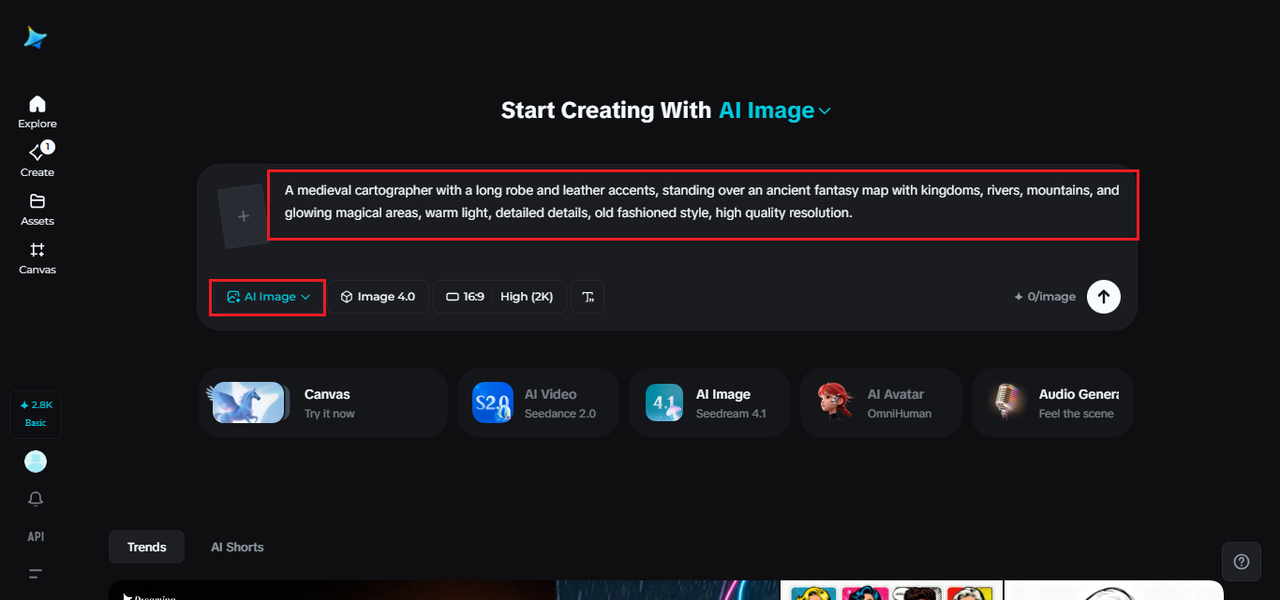 Step 2: Adjust parameters and create
Once you have written your prompt, change the parameters to suit your design requirements. Select one model that can be detailed, specify the aspect ratio that fits your layout of choice and specify the size of the image. Depending on the detail of your image, you can choose 1k or 2k. After everything is prepared, you may just click on the icon of Dreamina to produce your map. This will guarantee innovativeness and technical excellence.
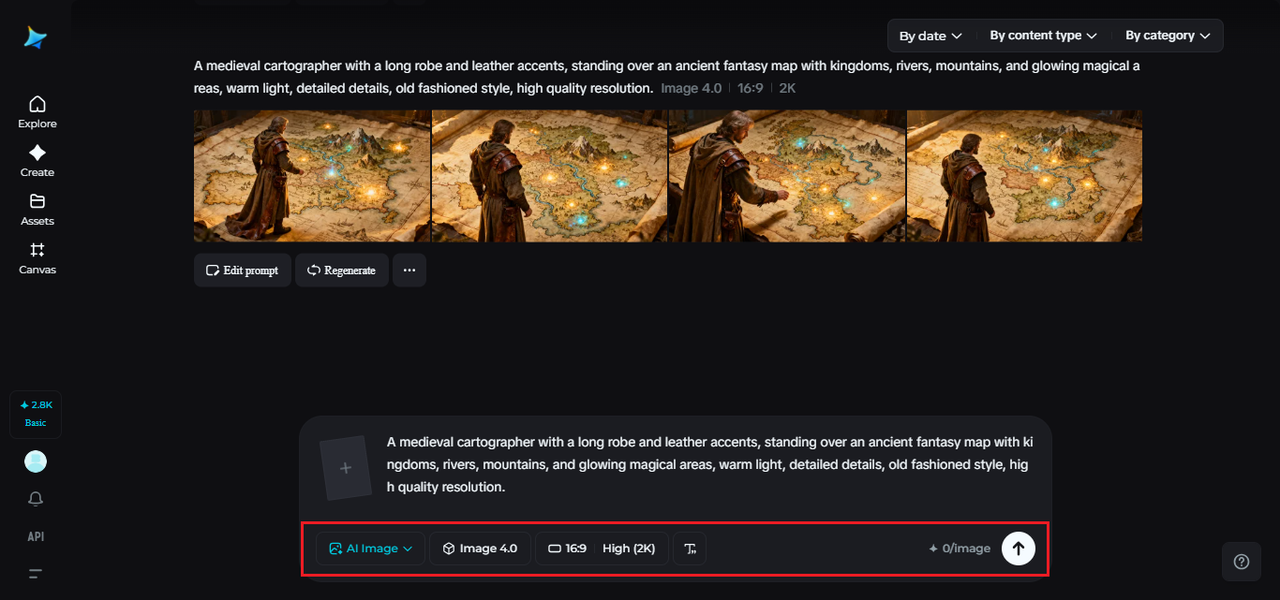 Step 3: Customize and download
After creating your map, customize it with the Dreamina tools. Inpaint can be used to strengthen certain parts, extend to change composition, delete the unwanted things and detail to achieve the smooth look. The features will enable you to perfect your map, without having to start again. Once your design is complete, use the “Download” icon to save it and apply to your projects.
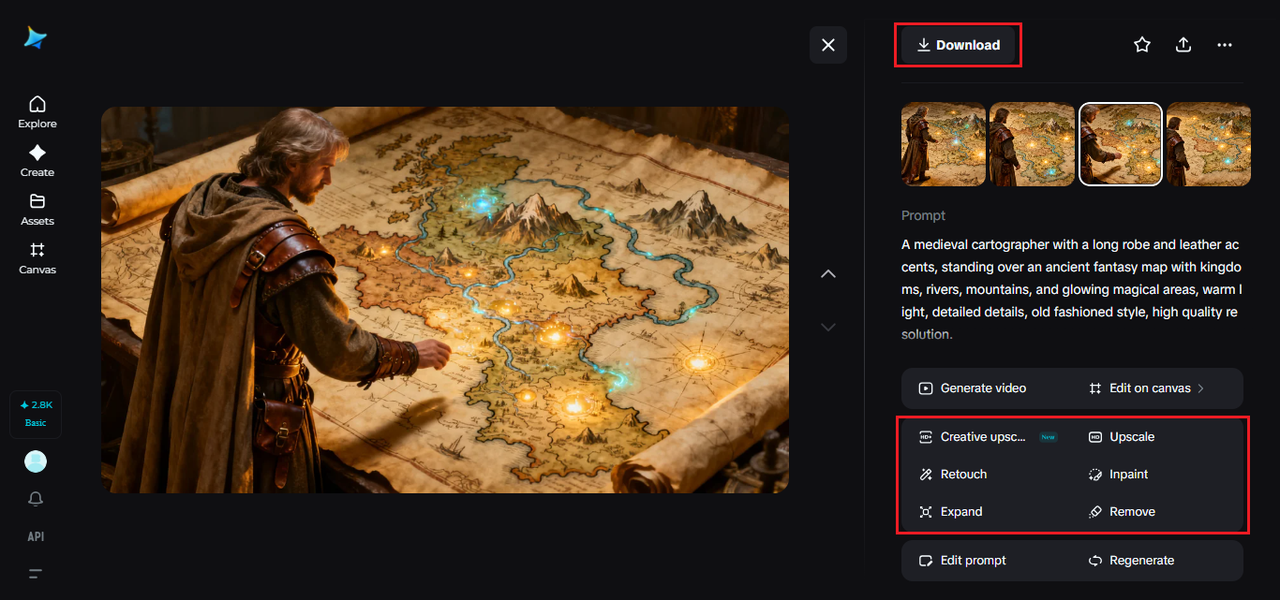 Enhance your map with creative skills
Map designing is not always perfect. But there are ways to enhance the existing map through creativity.
Try out different approaches:
-
Create a more leveled map by tilting the terrain.
-
Adjust the color scheme based on your preferences.
-
Add or remove certain elements for better visualization.
Each step gets you one step further from making your dream map.
Conclusion: Create Immersive Worlds with Dreamina
The process of fantasy map creation has never been easy before. With Dreamina software, you can easily visualize all your dreams into reality.
From the generation of building ideas to the smallest details, each of the processes helps you to build a world of imagination.
