


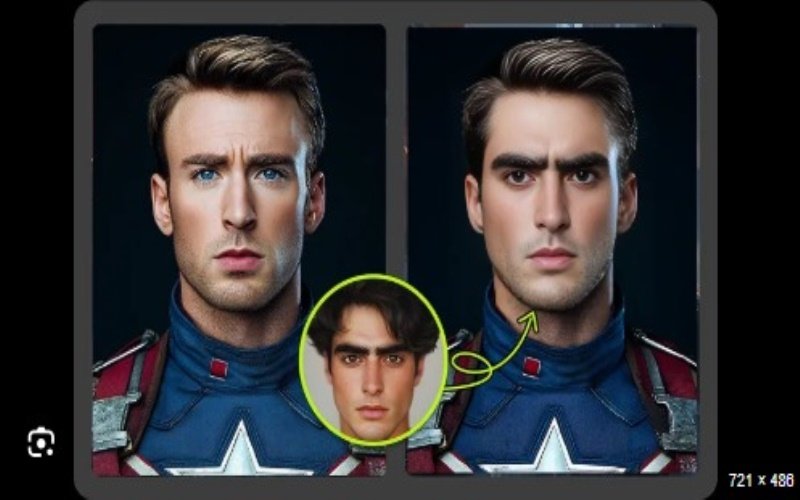
Face swap technology has gone from a novelty to a powerful creative tool for content creators, marketers, and casual users alike. Vidqu AI’s Face Swap tool stands out in this growing space by focusing on realism, speed, and ease of use. In this review, we’ll take a closer look at what the tool offers, how it performs, and why it’s becoming a go-to solution for AI-powered video face swapping.
What Is Vidqu AI Face Swap?
Vidqu AI Face Swap is an online tool that allows users to replace faces in videos using advanced AI algorithms. Unlike older face swap software that required downloads or complex setup, Vidqu runs directly in your browser. The platform is designed for both beginners and professionals, making it accessible without sacrificing output quality.
At its core, the tool analyzes facial features, expressions, and movements, then maps them naturally onto another face. The result is a smooth, realistic transformation that maintains video integrity and emotional expression.
Key Features and Capabilities
One of the strongest aspects of Vidqu AI is how balanced its feature set is. You’re not overwhelmed with unnecessary options, but you still get everything you need for high-quality results.
The face swap video feature allows you to swap a single face in a video with impressive accuracy. Skin tone matching, lighting consistency, and facial alignment are handled automatically, which saves time and reduces the need for manual adjustments. This makes it ideal for short-form videos, creative edits, memes, and even professional demonstrations.
Another highlight is the multiple face swap video option, which supports swapping several faces in the same video. This is especially useful for group scenes, team videos, or entertainment-focused content where multiple characters are involved. The AI tracks each face independently, ensuring consistent results from start to finish.
Ease of Use and Workflow
Vidqu AI clearly prioritizes user experience. The workflow is simple: upload your video, upload the face image(s), and let the AI do the rest. No technical knowledge is required, and the interface is clean and intuitive.
Processing times are relatively fast compared to similar tools, and you don’t need a high-end device since all the heavy lifting happens in the cloud. This makes Vidqu AI accessible whether you’re working from a desktop, laptop, or even a tablet.
Output Quality and Realism
When it comes to face swapping, realism is everything—and this is where Vidqu AI performs particularly well. Facial expressions remain natural, transitions are smooth, and there’s minimal distortion even in videos with movement or changing lighting conditions.
The AI adapts well to different face shapes and angles, which helps avoid the “mask-like” effect common in lower-quality tools. For creators who care about visual credibility, this level of quality is a major advantage.
Use Cases and Practical Applications
Vidqu AI Face Swap is versatile enough for a wide range of users. Content creators can use it for social media videos, parody clips, or storytelling. Marketers may find it useful for localized campaigns or creative ads. Educators and presenters can also use face swapping for engaging demonstrations or simulations.
Because the tool is browser-based, it fits easily into existing workflows without adding friction or extra software dependencies.
Final Verdict
Vidqu AI Face Swap is a well-rounded, reliable tool that delivers on its promises. It combines high-quality AI results with an easy-to-use interface, making advanced face swapping accessible to everyone. Whether you’re experimenting for fun or producing content professionally, Vidqu AI offers a strong balance of realism, speed, and simplicity.
For anyone looking to explore AI-driven video editing without the usual complexity, Vidqu AI Face Swap is definitely worth trying.
