


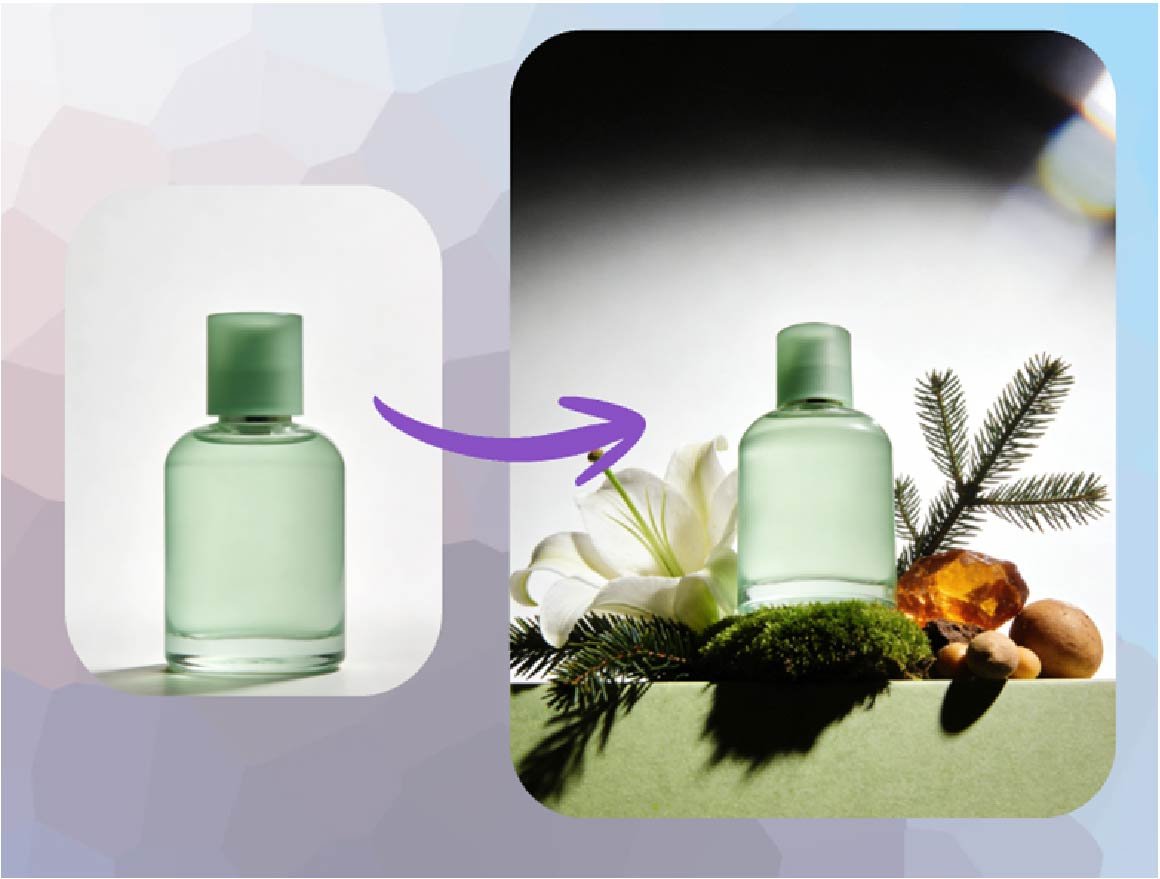
Creating stunning product mockups and marketing visuals used to be expensive and slow. It often required hiring photographers, booking studios, and lengthy editing sessions. Today, AI image generation changes everything, allowing businesses to create professional-grade assets in minutes, not weeks. This powerful technology helps you visualize products in any setting, test creative concepts, and produce a steady stream of marketing content without breaking the budget.
Real-World Scenarios for AI Mockups
AI isn’t just a novelty, it’s a practical tool that solves real business problems. From e-commerce stores to software startups, companies are using AI to streamline their visual content creation. Let’s explore a few scenarios where this technology makes a significant impact.
Use Case 1: E-commerce Product Photography
Imagine you run an online store selling artisanal coffee beans. You want to showcase your new “Morning Mist” blend in various settings, like on a rustic kitchen counter, next to a French press, and as part of a cozy breakfast scene. Instead of a costly photoshoot, you can use AI to generate these images instantly.
By providing a simple photo of your coffee bag, you can use a prompt like, “Place this coffee bag on a sunlit marble kitchen counter next to a steaming mug and a croissant.” The AI will generate a realistic lifestyle photo that connects with your target audience. You can create dozens of variations for different platforms, from your website homepage to your Instagram feed, all without a single camera.
Use Case 2: Dynamic Social Media Ad Creatives
A digital marketing agency needs to create a high volume of ad visuals for a client’s new skincare line. The goal is to A/B test different creative approaches to see what resonates with a younger audience. The client wants to see the product in a flat-lay style, held by a model, and on a bathroom shelf surrounded by plants.
Using a text-to-image tool, the marketing team can generate endless ad variations quickly. They can test different backgrounds, color schemes, and compositions to optimize campaign performance. A prompt like, “A minimalist bathroom shelf with a small green plant, a white towel, and this serum bottle” can be easily created. The team can even use a Free AI Image Generator Online to produce these concepts from scratch without needing any initial photos. This approach saves countless hours and gives the agency the creative agility to react to performance data in real time.
Use Case 3: Conceptual Visualization for Startups
A startup is developing a new smart home device but only has a rough 3D model. They need compelling visuals for an investor pitch deck and a pre-launch landing page. Hiring a 3D artist to create photorealistic renders is expensive and time-consuming.
The founders can use a free image to image generator to transform their basic model into a polished product shot. By uploading the 3D render and adding a descriptive prompt, they can see their product in a fully furnished living room, on a sleek office desk, or in a futuristic setting. This allows them to present a professional and compelling vision to investors and early customers long before the final product is manufactured.
Benefits of Using AI in Each Scenario
The advantages of integrating AI into your visual workflow are clear and immediate, providing benefits that extend beyond simple image creation.
| Use Case | Key Benefits |
| E-commerce Photography | Cost reduction, speed to market, infinite creative variations. |
| Social Media Ads | Faster A/B testing, higher engagement, improved campaign ROI. |
| Startup Concepts | Lower upfront costs, professional investor pitches, early market validation. |
A Practical Workflow for Creating AI Mockups
Getting started with AI image generation is simpler than you might think. Here’s a straightforward workflow you can follow to create your own product mockups and marketing assets.
Step 1: Define Your Goal and Concept
First, clarify what you want to achieve. Are you creating a lifestyle shot for your website, a social media ad, or a conceptual image for a presentation? A clear goal helps you write a more effective prompt. Think about the mood, setting, lighting, and any objects you want to include in the scene. For example, is it a bright and airy scene or a dark and moody one?
Step 2: Write a Detailed Text Prompt
Your prompt is the most important element. Be descriptive and specific. Instead of writing “a picture of my product,” try something much more detailed. Include the product name, its characteristics, the background, the lighting, and the overall style.
For example: “Photorealistic image of a ‘ZenFlow’ scented candle in a frosted glass jar, placed on a natural slate coaster. The background is a serene, out-of-focus bathroom with a white orchid. Soft, warm morning light from the side.”
Step 3: Generate and Refine Your Image
Use an AI image generator to bring your prompt to life. Input your text and generate the first batch of images. The initial results might not be perfect, and that’s okay. Review the images and identify what works and what doesn’t.
Now, refine your prompt. You can add negative prompts to exclude things you don’t want (e.g., –no text, –no hands). You can also adjust keywords to change the style or composition. Maybe change “morning light” to “golden hour light” or “bathroom” to “yoga studio.” Continue iterating until you get an image that aligns with your vision.
Step 4: Use Image-to-Image for Consistency
If you already have a product photo or a basic render, the image-to-image function is incredibly powerful. Upload your existing image and use a text prompt to guide the AI in modifying it. This is perfect for placing a consistent product image into various new scenes, ensuring your branding remains intact across different visuals.
Conclusion
AI image generation is a powerful tool for marketers, entrepreneurs, and e-commerce owners. It democratizes the creation of high-quality visual content, making it faster, cheaper, and more accessible than ever before. By leveraging AI for product mockups, social media ads, and conceptual designs, you can enhance your brand’s visual identity, accelerate your marketing efforts, and stay ahead of the competition. Start experimenting with these tools today to unlock a new level of creative freedom.
