


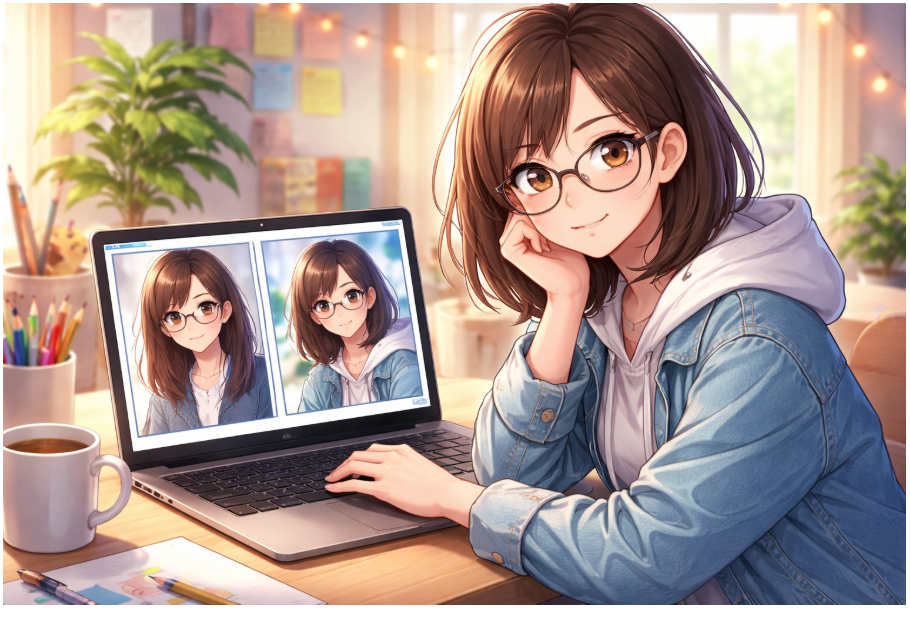
I didn’t start making anime portraits because I wanted to “look like a character.” I started because I kept seeing the same problem: every “anime converter” promised a cute result, and every result looked like the same person wearing a different haircut. Clean lines, big eyes, pleasant colors—fine. But it didn’t feel like me. It felt like a default template that happened to be wearing my face.
After a lot of trial-and-error (and a few genuinely cursed renders), I landed on a simple approach that consistently works. I treat anime conversion like a small design workflow, not a lottery ticket. When I do that, the output stops being “AI anime” and starts being a portrait I’d actually use.
If you want to follow along while you read, here’s the exact page I used for quick tests: photo to anime. I’ll also mention where I go when I want more control and repeatability later in the article.
I care more about consistency and likeness than “anime vibes.”
When an anime portrait works, it hits a very specific feeling: it’s obviously stylised, but it still reads as you. In my experience, that depends less on “style strength” and more on design clarity—the stuff your brain uses to identify someone at a glance.
These are the four things I look for every time I review a result:
-
Shape language: the outline matters more than you’d think (hair mass, jawline, shoulder slope).
-
Signature details: one or two “anchors” that make you you (glasses, freckles, a mole, a clip, a hoodie).
-
Lighting choice: a clear mood (warm indoor light vs. cool street neon) instead of a flat grey wash.
-
Expression accuracy: if the eyes or mouth shift by a millimeter in the wrong direction, the whole portrait feels off.
I used to blame the tools when results drifted. Now I blame my inputs first. Most of the time, the photo is the issue.
My repeatable workflow (the one that stopped wasting my time)
I keep it boring on purpose. When I’m testing a tool or aiming for a profile avatar, I follow the same sequence every time.
1) I start with a “clean” source photo
My best inputs usually have:
-
Face fully visible (no hand on cheek, no bangs covering half the eyes)
-
Even light (window light is my favourite; overhead kitchen light is my enemy)
-
A normal angle (no extreme wide-angle selfie distortion)
-
A background that doesn’t fight for attention (plain wall beats messy room)
Once I’ve got a stable baseline, I’ll try harder photos—night scenes, dramatic shadows, crowded streets. But I never start there anymore. Starting “hard” just hides what the tool is actually doing.
2) I decide the use case before the style
When I don’t decide the use case, I end up with a pretty image that fails in real life. So I pick one:
Profile avatar: clean face, minimal props, gentle shading
Creator banner: wider crop, more background context, room for text
Sticker/emote: simpler shapes, stronger expression, readable at tiny sizes
Brand mascot: consistent outfit and palette, repeatable pose
When the use case is clear, my choices get simpler—and the portrait stops looking like a random anime screenshot.
3) I run two versions, not ten
I used to spam generations and pick the “least weird” one. It felt productive; it wasn’t.
Now I do:
-
One baseline render
-
One deliberate change (usually mood/lighting)
If the second one still looks like the same person, I’m in a good place. If identity collapses the moment I shift the vibe, I know I’ll be fighting the tool later.
What Has to Be True Before I’ll Let a Portrait Be My Face
I’m picky about a few things because they predict whether the image will survive cropping, resizing, and actual use. Here’s my quick “zoom and judge” table.
My fastest trick: I zoom in on the eyes and hairline. If those feel wrong, the whole portrait will feel wrong—no matter how “nice” the colors are.
Why so many “AI anime” portraits look the same (and what I do about it)
A lot of converters aim for a safe middle style. It’s understandable. But “safe” often equals “same.”
When I want a portrait that feels intentional, I don’t ask for “better anime.” I give visual constraints that humans actually use:
-
I anchor the era: “90s cel anime” vs. “modern clean linework” vs. “soft watercolor anime”
-
I anchor the mood: “warm café lighting,” “rainy neon street,” “golden hour”
-
I anchor the composition: “shoulders-up portrait,” “three-quarter view,” “close-up”
That combination is what pulled me out of the “every output looks identical” trap. The style becomes a choice, not an accident.
When I want consistency across multiple portraits
The first portrait is easy. The second and third are where things get real.
If I’m just making a one-off avatar for fun, I’ll use the quick conversion page and call it a day. But if I’m building a consistent look—say, a creator identity or a mascot set—I want a more stable workflow. That’s when I switch to a broader hub like this AI anime generator, where I can focus on repeatability instead of chasing a single lucky render.
My rule is simple: if I’m going to use the style in more than one place, I need it to behave like a system, not a surprise.
The boring credibility stuff I actually follow (because it saves headaches)
I’m not interested in moral panic about AI art. I’m interested in not creating problems for myself later. So I keep a few practical boundaries:
I don’t upload sensitive photos.
Team headshots, customer photos, private family images—those aren’t “test inputs” to me. I keep my experiments separate from anything personal or confidential.
I’m honest about what the image is.
If the portrait represents me, I describe it as stylised. If it’s a mascot, I treat it as branding. People are fine with anime. What they dislike is confusion.
I pick one avatar and stick with it.
Changing my profile image constantly kills recognition. The whole point of an avatar is that someone sees it and instantly knows it’s you.
I keep notes when something works.
When I get a good portrait, I write down what kind of photo I used (lighting, angle, background), the mood/style descriptors, and the crop choice. That turns a lucky hit into something I can reproduce later.
My 10-minute field test (the one that tells me if a tool is worth using)
If I’m evaluating any anime portrait workflow, I run this exact test:
-
I take one clean portrait photo.
-
I generate a baseline anime portrait.
-
I generate a second version with a different mood (day → night, warm → cool).
-
I compare identity: does it still feel like the same person?
If the face becomes a different character as soon as I change lighting, I stop. That tool might be fun, but it’s not reliable enough for anything I’ll reuse.
The sweet spot: deliberate style, zero filter vibe.
Once the basics are stable, I push creativity with small changes—never ten changes at once.
-
One prop (headphones, umbrella, sketchbook)
-
One environment shift (studio desk, city street, beach sunset)
-
One palette choice (pastel, noir, neon)
Anime style is storytelling shorthand. When I keep the choices focused, the portrait stops being a gimmick and starts communicating personality.
What I’d tell anyone who keeps getting “generic anime face”
If your results look polished but anonymous, it’s usually one of these:
-
the source photo is too chaotic
-
the lighting is fighting the face
-
you’re asking for style without defining intent
-
you’re generating too many versions instead of testing consistency
When I fixed those, the portraits improved fast—without me having to pretend I’m a prompt wizard.
If you want to try the simplest version of my workflow, start with a clean photo and do a single conversion here: photo to anime. If you end up wanting a consistent look across multiple images, I’d move up to a fuller workflow through an AI anime generator and treat it like a repeatable system.
That’s the shift that made the difference for me: less “wow, it generated something,” more “yes, that’s me—just animated.”
