


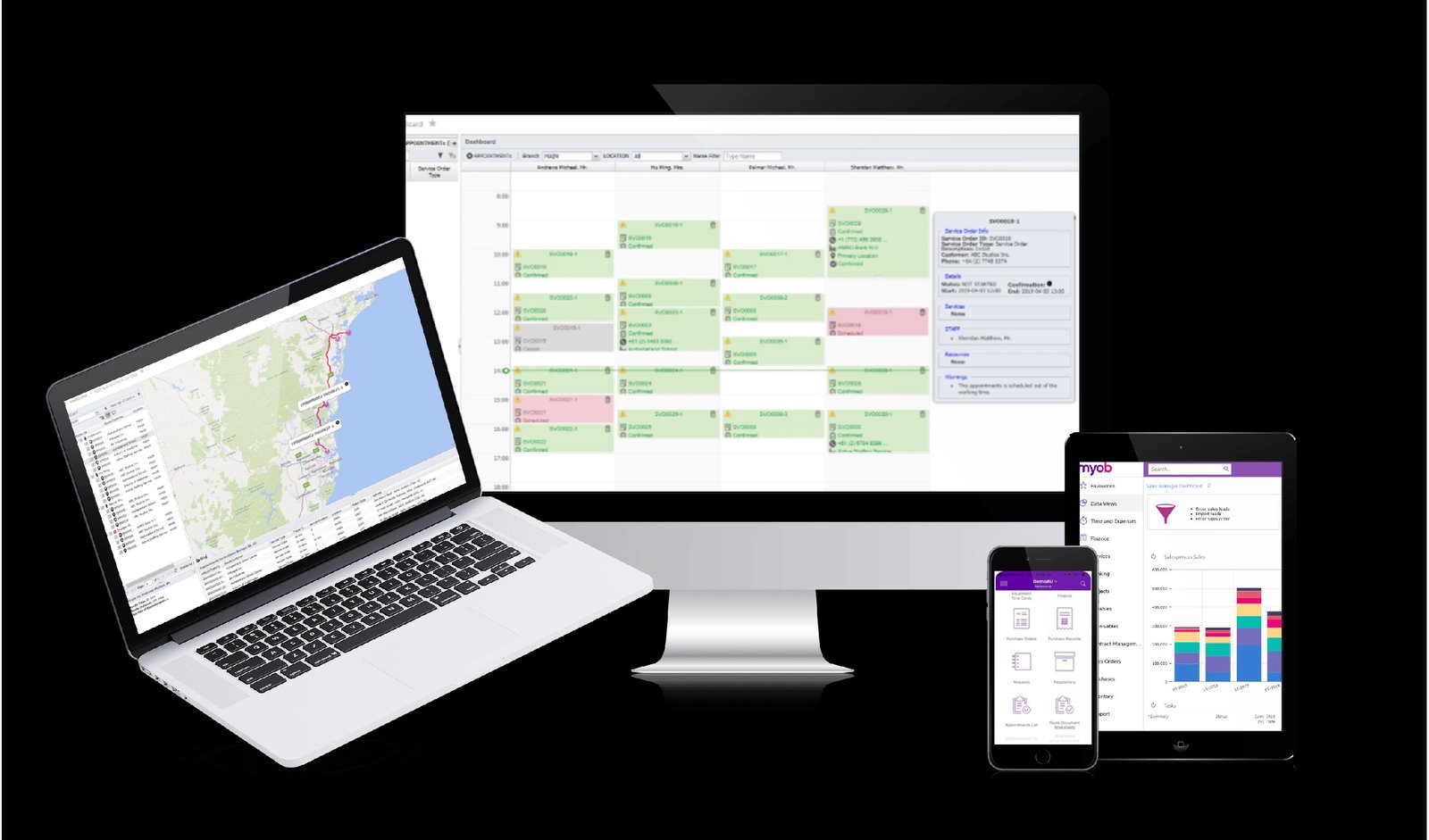
You want your crew in the field working efficiently, customers satisfied, and costs under control. Field services management software gives you scheduling, dispatch, inventory, real-time tracking, and customer communication in one platform so you can coordinate teams, cut travel time, and close more jobs with less friction. If you need faster dispatch, clearer job tracking, and measurable productivity gains, this software delivers those outcomes.
This article breaks down the core features to look for, the real benefits you’ll get, and the practical trade-offs when choosing a solution—so you can match tools to your operations and budget. Expect clear comparisons of scheduling, work-order management, route optimization, and integrations to help you pick the right system for your team.
Core Features of Field Services Management Software
These features let you create, assign, track, and complete jobs; put the right technician on the right task at the right time; give technicians offline-capable mobile tools; and control parts across jobs to avoid delays and overstock.
Work Order Management
Work order management centralizes job intake, status tracking, and documentation so you and your team avoid missed tasks and inconsistent records. Create work orders from service calls, customer portals, or recurring schedules; attach photos, service history, and safety notes; and set priority, SLAs, and required skills to guide assignments.
Use automated workflows to move orders through stages—new, dispatched, in progress, completed, billed—and trigger notifications at handoffs. Maintain an audit trail of timestamps, technician notes, approvals, and customer signatures for compliance and billing. Integrations with invoicing and CRM systems let you convert completed work directly into invoices and update customer records without duplicate entry.
Key elements to confirm: customizable templates, attachments and photos, SLA enforcement, task checklists, parts consumption, and searchable job histories that support reporting and root-cause analysis.
Scheduling and Dispatching
Scheduling matches technician skills, certifications, and location to job requirements and time windows. Use a visual dispatch board with drag-and-drop scheduling, real-time technician status, and optimized routing to reduce travel time and meet appointment windows.
Automated scheduling engines consider travel time, break rules, priority, and parts availability to suggest or auto-assign slots. Provide technicians with estimated arrival windows and allow customers to receive confirmations and live ETAs. Include rules for overtime limits, multi-tech collaboration on complex jobs, and escalation if a slot opens or a job overruns.
Dispatch features should expose alternative resources and what-if scenarios so you can reassign quickly during cancellations, emergencies, or unexpected delays. Measure schedule adherence, first-time-fix rate, and utilization to optimize assignments over time.
Mobile Access and Connectivity
Give technicians a mobile app that works online and offline so they can access job details without reacquiring data at every stop. The app should present job steps, customer contact info, parts on-hand, safety checklists, and digital signatures in one screen to minimize app switching and manual notes.
Offline capability must sync work orders, time entries, and photos automatically when connectivity resumes. Support barcode scanning for parts, GPS-based check-ins for attendance, and push notifications for last-minute updates. Secure role-based access and remote wipe protect customer and company data on lost devices.
Integration with mobile cameras, voice-to-text, and mobile payment processing reduces admin time. Fast, reliable mobile workflows increase first-visit completions and improve time-to-bill.
Inventory Tracking
Track parts across warehouses, vans, and job sites to prevent stockouts and unnecessary returns. Maintain real-time balances, reserve parts for scheduled jobs, and set reorder points based on consumption rate and lead time.
Enable kit-building for common service packs and suggest substitutes when items are unavailable. Use barcode or RFID scanning on mobile devices to update counts at point of use, and log part movements between vans and depots for auditability. Integrate purchase orders and supplier lead times so reorder triggers flow into procurement workflows.
Report on carrying costs, turnover, and stock aging to identify slow-moving items and optimize stocking levels. Accurate inventory tracking reduces emergency parts orders and shortens mean time to repair.
Benefits and Considerations of Field Services Management Solutions
A well-chosen field services management solution streamlines scheduling, improves technician readiness, and safeguards customer and asset data. It also requires planning for integrations, user adoption, and regulatory controls.
Improved Operational Efficiency
You reduce manual scheduling and double-booking by using automated dispatch and real-time technician availability. That leads to higher utilization rates and fewer drive hours per job.
Mobile access gives technicians digital job details, parts lists, and signature capture, so you cut paperwork and speed invoice turnaround. Route optimization and traffic-aware ETAs lower fuel costs and increase the number of jobs completed per day.
Use built-in inventory and asset tracking to prevent repeat visits caused by missing parts. Analytics dashboards let you monitor first-time-fix rates and technician productivity so you can target training and adjust staffing.
Enhanced Customer Experience
You provide accurate arrival windows and automated status notifications to reduce missed appointments and customer calls. Real-time tracking and technician profiles increase transparency and trust.
Digital work orders deliver faster billing and clearer proof-of-service, improving payment cycles and reducing disputes. You can capture customer feedback immediately after service to measure satisfaction and act on trends.
Self-service portals let customers book, reschedule, or view service history without contacting dispatch. This convenience raises perceived service quality and can drive higher retention and more referrals.
Integration with Existing Systems
You must map workflows between FSM software and systems like ERP, CRM, inventory, and accounting before implementation. Clear data mappings (customer IDs, work-order numbers, inventory SKUs) prevent reconciliation problems and duplicate records.
Prefer APIs and middleware that support bidirectional sync for orders, parts consumption, billing, and customer updates. Plan phased rollouts: integrate dispatch and mobile first, then extend to inventory and financials to limit business disruption.
Account for data models and latency—real-time for dispatching, near-real-time for invoices. Train staff on any new reconciliation steps and keep a rollback plan in case critical integrations fail.
Data Security and Compliance
You must protect customer PII, technician records, and asset details with role-based access, encryption at rest and in transit, and strong authentication. Limit mobile app permissions to only the data technicians need on the job.
Verify vendor compliance with relevant regulations (e.g., GDPR, CCPA, industry-specific rules) and ask for SOC 2 or ISO 27001 evidence where applicable. Maintain logs and audit trails to support incident response and regulatory requests.
Include policies for device loss, remote wipe, and secure offline data handling. Regularly patch the FSM platform and review third-party integrations to reduce your attack surface.
